



In crisis? Mental health services are available 24/7 by calling    204-482-5419   or    1-866-427-8628
Donate Now   Emergency Dept. Schedules

Generic selectors
Exact matches only
Search in title
Search in content
Post Type Selectors
Search in posts
Search in pages

QuickCare Clinic

A photo of the logo for the Selkirk QuickCare Clinic - Better Care For Your Family.

The Selkirk QuickCare Clinic provides same day services by appointment.

You can book an appointment online at medinav.ca (Be sure to use www.medinav.ca when booking your appointment – if your account does not work you may have created your account using a url that was incorrectly posted earlier and you will need to recreate your account again at www.medinav.ca.)

  • book after midnight for an appointment later that day
  • If appointments online are filled, call 204-482-4399 to inquire on available appointments.

or call 204-482-4399 for an appointment starting at 9:30 am.


QuickCare clinics are there to meet your unexpected health care needs during times when you may not be able to get an appointment with your regular health care provider. QuickCare clinic health care providers diagnose and treat your minor health issues, saving you a trip to the emergency department or having to wait for regular clinic hours. 

When you visit the clinic, please be ready to present your Manitoba Health card before your appointment.
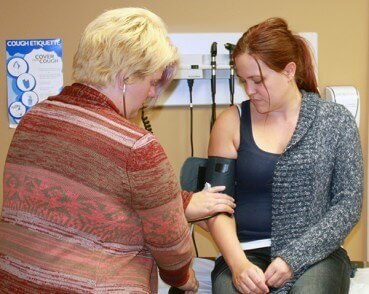
A photo of a female doctor checking the pulse of a female patient with a stethoscope and arm cuff.
QuickCare Clinic is located at: Selkirk Crossing
Across from Boston Pizza
#3-1020 Manitoba Avenue

-Phone 204-482-4399 as early at 9:30 am for a same day appointment

Book online after midnight for a same day appointment. If appointments online are filled, call 204-482-4399 at 9:30 am to inquire about available appointments.

Hours of Operation
Mon. – Fri.: 10:00 a.m. to 8:00 p.m.
Weekends: 10:00 a.m. to 5:00 p.m.
Holidays: 10:00 a.m. to 8:00 p.m. 
Closed at 5:00 p.m. on Dec. 24 Christmas Eve.
Closed on Dec. 25 Christmas Day.

Our clinic health care staff can help you with episodic* care for health issues such as:

-rashes, eczema, infected cuts or minor sores
-sore throats, earaches, colds and flu, coughs, hay fever 
-sore eyes, eye redness or infection
-stress or anxiety
-minor stomach aches, diarrhea, vomiting or indigestion
-urinary tract infections
-headaches, back or neck pain
-breast health concerns
-birth control

* Episodic health issues treated by Quick Care clinics are non-urgent and do not require long-term health care management. If your health condition is chronic, requires longer-terrm care or specialized care, you may be referred to a more appropriate health care provider or your family doctor.
A photo of a female doctor putting a thermometer into a female child's mouth. It is an ad for the family doctor finder.

If you are looking for a family doctor in your area, simply call or register online and the Family Doctor Finder will help connect you with a health-care professional in your area that best meets your needs.

For more information or to register with the Family Doctor Finder:

Toll-free: 1-866-690-8260 or 204-786-7111 (in Winnipeg)  

Online:  Family Doctor Finder

Frequently Asked Questions

What is Medical Navigator?

It is an online booking system which will allow you to book appointments at participating

clinics.

How do I create a user account?

To create an account, click on the “Sign Up” button on the Login page, provide your email,

password, and follow the instructions.

What is the difference between a user account and a patient profile?

A user account is linked to an email and password that allows you to login into the Medical

Navigator (online booking) system. A user account is created by the person who is booking

appointments for themselves and/or possibly others.

A patient profile is for the patient who the user is booking an appointment for. User and

patient are often the same individual. A user can have one or more patients they can book

appointments for. For example, a parent could have one user account and have themselves

and their children, and elderly parents as patient profiles under their user account.

You will not be able to view appointments created under another individual’s user account.

What do I need to create a patient profile and book an appointment online?

You need to provide your full name, date of birth, and Manitoba Health Card Number (aka

PHIN), Manitoba Registration Number or Out-of-Province Health Card. If you do not have a

Canadian Health Card, you will not be able create a patient profile and book online. Once

your patient profile is created, you can proceed to book an appointment online.

What if I do not know my health card number?

The Health Card Number can be found on your provincial health card. If you do not have

one or cannot locate it, please call Manitoba Health Registration and Client Services at 204-

786-7101 or 1-800-392-1207 (toll free). Please click here for more information on Manitoba

Health Cards and Coverage.

How can I book an appointment?

Step 1 – Create an account

Step 2 – Add/Register Patient

Step 3 – Select the “Book Appointment” option on the patient profile, select the appointment

location and reason for visit, then enter your medical concern. Earliest available appointments

across participating clinics will be shown. Use the “MORE” option to see all available timeslots

for the specific clinic. Select the time that best suits your needs and click the “CONFIRM”

button.

Am I able to reschedule my appointment?

Yes, you can do so by going to “Appointments” and selecting “Reschedule.” Appointments

can be rescheduled online up until the time of your original appointment by using the

reschedule feature.

How can I see available appointments?

To see available appointments, select the “Book Appointment” option on the patient profile, and

follow the prompts. Earliest available appointments across participating clinics will be shown.

Use the “MORE” option at each clinic to see all available timeslots for the specific clinic.

How will I be notified about my appointments?

You will receive notifications via text when your appointment is booked, changed, or

cancelled. You will also receive appointment reminders via text prior to your appointment.

How far in advance will I be able to book an appointment?

Depending on the participating clinic, same day or same/next day appointments are

available to book online. Online appointments can be booked after midnight for an appointment later that day.

These participating clinics are for patients needing same day/next day treatment for pressing

medical concerns that are not urgent or an emergency. If your matter can wait, we

recommend booking an appointment with your family doctor or regular health care provider.

Can I book appointments for my spouse and/or dependents?

Yes, as long as you are authorized by the individual or are a guardian of the patient you are

booking for. You can add additional patients to your user account and book an appointment

on another patient’s behalf.

Can I book appointments for non-relatives?

Yes, as long as you are authorized to do so by the individual. You can add additional

patients to your user account and book an appointment on another patient’s behalf.

How can I see my past appointments?

Use the “Appointments” option on the patient profile and follow the prompts to view

upcoming and past appointments booked via the Medical Navigator.

What happens if I need to cancel my appointment?

You can cancel your appointment any time before the scheduled appointment time by going

to “Appointments” and selecting “Cancel.”

Will I be allowed to book an appointment in a city different from where I live?

You can cancel your appointment any time before the scheduled appointment time by going

to “Appointments” and selecting “Cancel.”

I don’t have a cell/mobile phone; how can I get notifications?

You will not be able to receive notifications without a cell/mobile phone. You can check for

appointments updates via “Appointments” on your patient profile on the Medical Navigator

site.

How do I change the password for my account?

When you need to change your user password, use the “Forgot Your Password” link at the

Sign In page and follow the prompts. You will be sent a Verification Code to your email

which is required for you to change your password.

What do I do if I encounter a technical issue or have problems using the Medical Navigator?

Please contact [email protected] or call 1-888-235-0697.

I went online to book an appointment; however, no appointments are available at the clinics I wish to visit. Why?

The QuickCare Clinics provide same day services by appointment only.  Patients can call for an appointment starting at 9:30 am at (204) 482-4399. To ensure all patients can be seen in a timely manner there are a limited number of online bookable appointments available each day.

What other options are available to me?

The Selkirk QuickCare Clinic provides same day services by appointment only.  Patients can call for an appointment starting at 9:30 am at (204) 482-4399.

Can I book for tomorrow?

Selkirk QuickCare clinic offers same day booking. Online bookable appointments for the next day will be made available after midnight.

What if I do not have a Canadian Health Card (PHIN for Manitoba, or other provincial health card numbers)?

If you do not have a Canadian health card, you are unable to book an appointment using the online booking system.

Patients without a Canadian health card can call for a same day appointment starting at 9:30 am at (204) 482-4399.

Shared Health logo
IE Health Foundation logo
 Manitoba Health logo
French Services